CharoStudio Exclusive - Shadowrocket Splitting Configuration and Deployment Tutorial(Includes Shadowrocket detailed settings)
CharoStudio Exclusive - Shadowrocket Splitting Configuration and Deployment Tutorial(Includes Shadowrocket detailed settings)
Charo📢 Shadowrocket Routing Rules Update & Anti-Risk Control Guide
To handle the constantly changing audit rules of certain third-party apps, I have compiled and created a dedicated routing rules configuration for Shadowrocket. All users using my services are strongly advised to download and apply this configuration file as soon as possible.
📲 Step 1: Importing the Configuration File
⚠️ Note: Ensure Shadowrocket proxy is TURN OFF before proceeding with these steps.
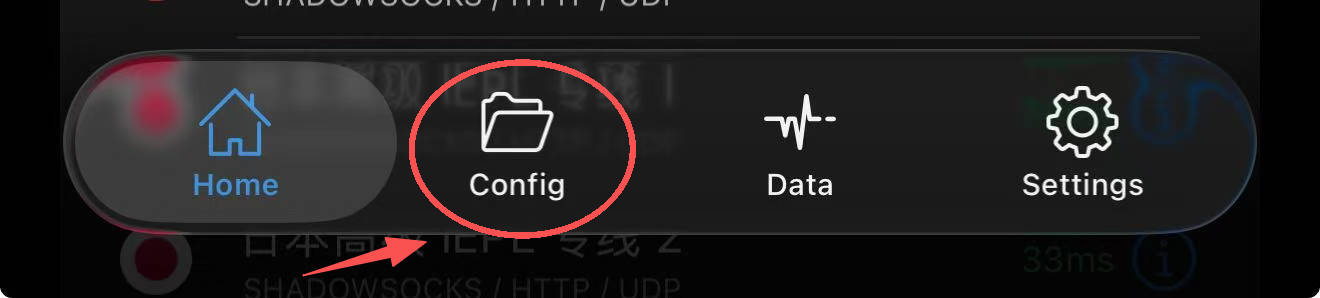
- Open Shadowrocket, locate Config in the interface, tap it, and then tap the
+icon in the top-right corner.
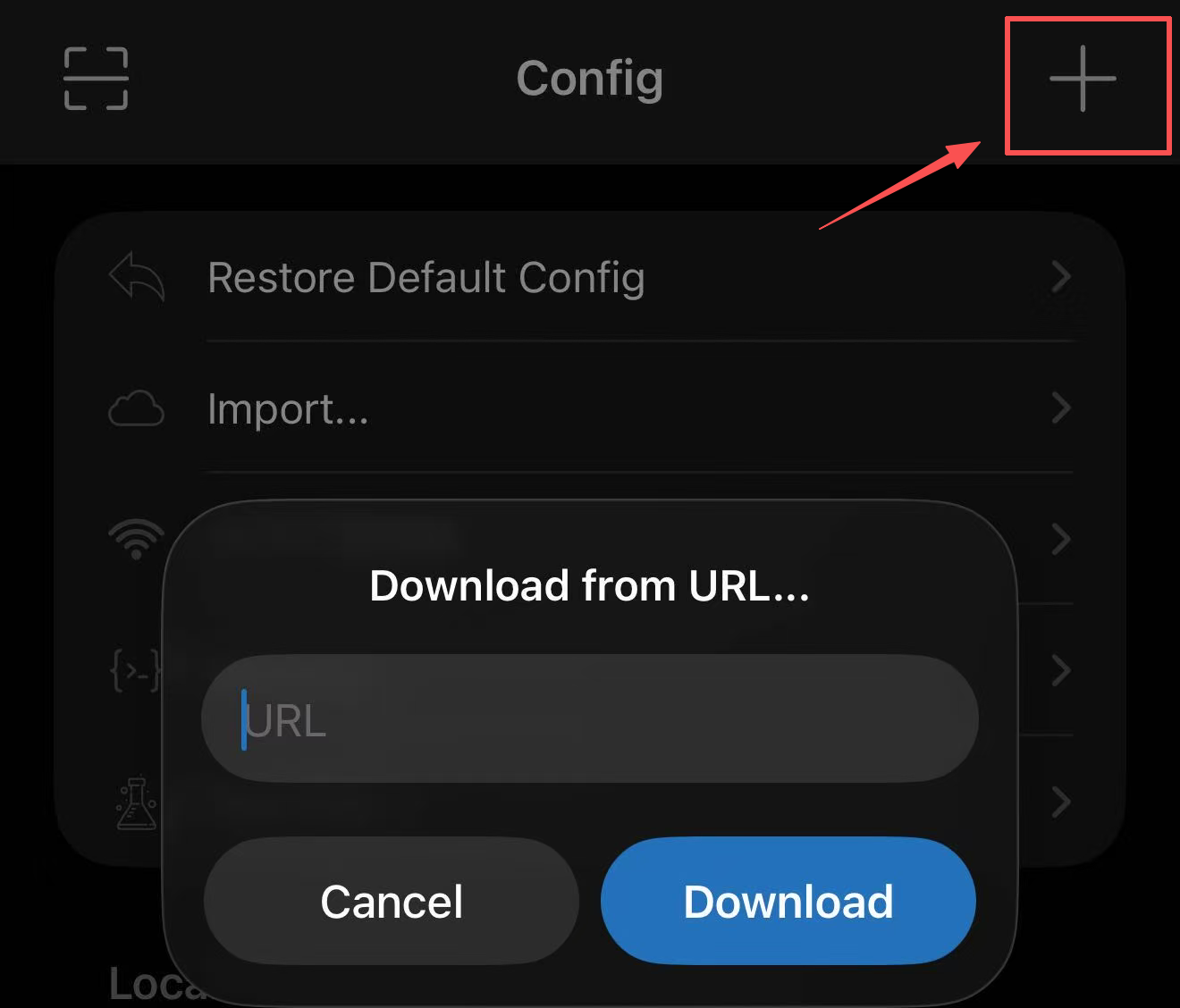
- Copy and paste the following URL inside to download:
https://onlysub.charostudio.com/CharoStudio.conf
- Once downloaded, a new configuration named
CharoStudio.confwill be generated. Tap it and select Use Config.
(Moving forward, simply update the configuration here periodically according to announcements. I will continuously refine and improve the routing rules.)
🔒 Step 2: Advanced Anti-Risk Control & Privacy Optimization
Additionally, to ensure Shadowrocket users get the best possible experience, it is recommended to configure the following two settings as well:
- Enable TUN Mode
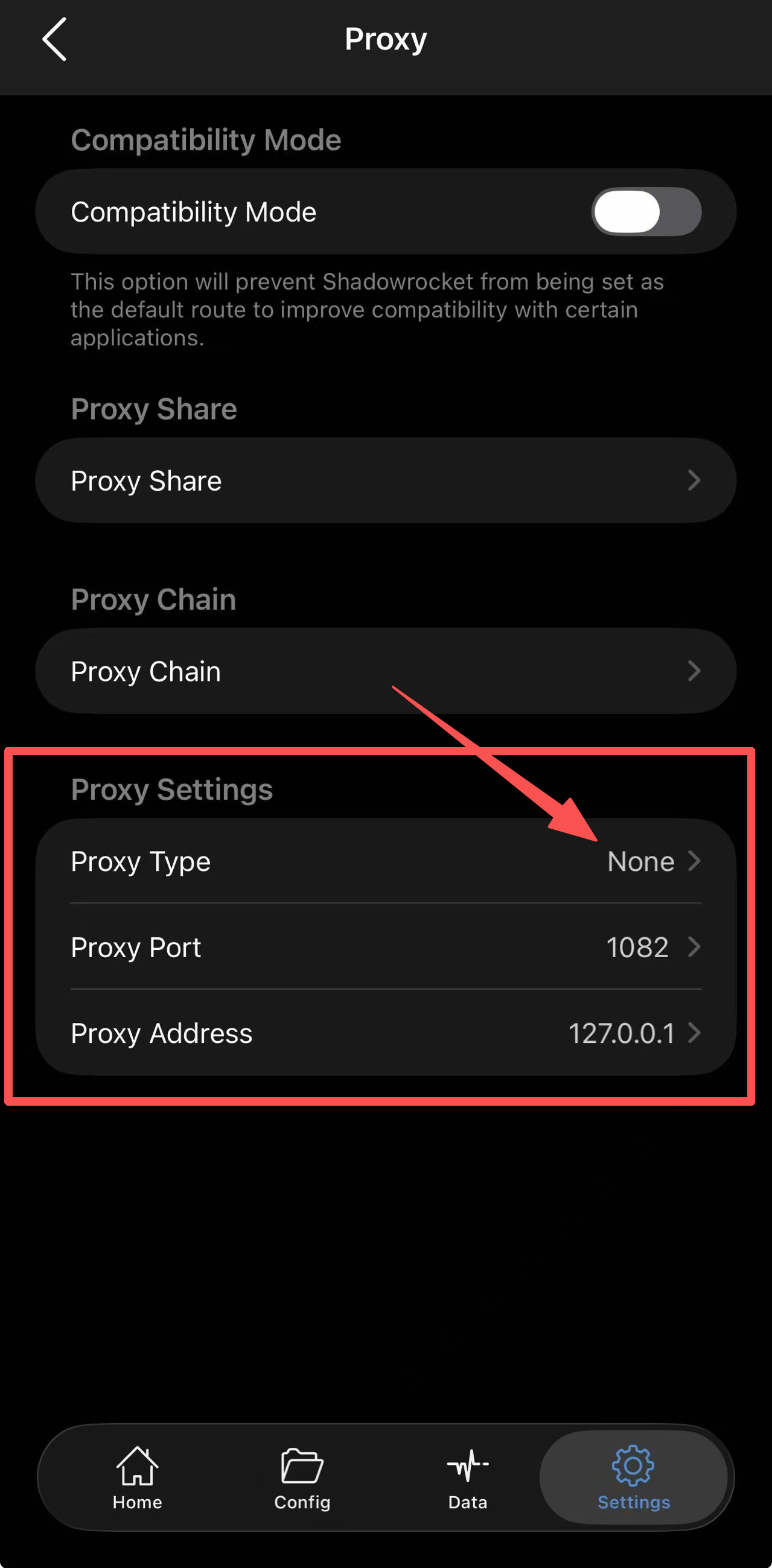
- Go to Settings on the main Shadowrocket interface;
- Navigate to Proxy;
- Under the bottom proxy settings section, tap Proxy Type, and select
None(Enables TUN mode).
- Disable WebRTC
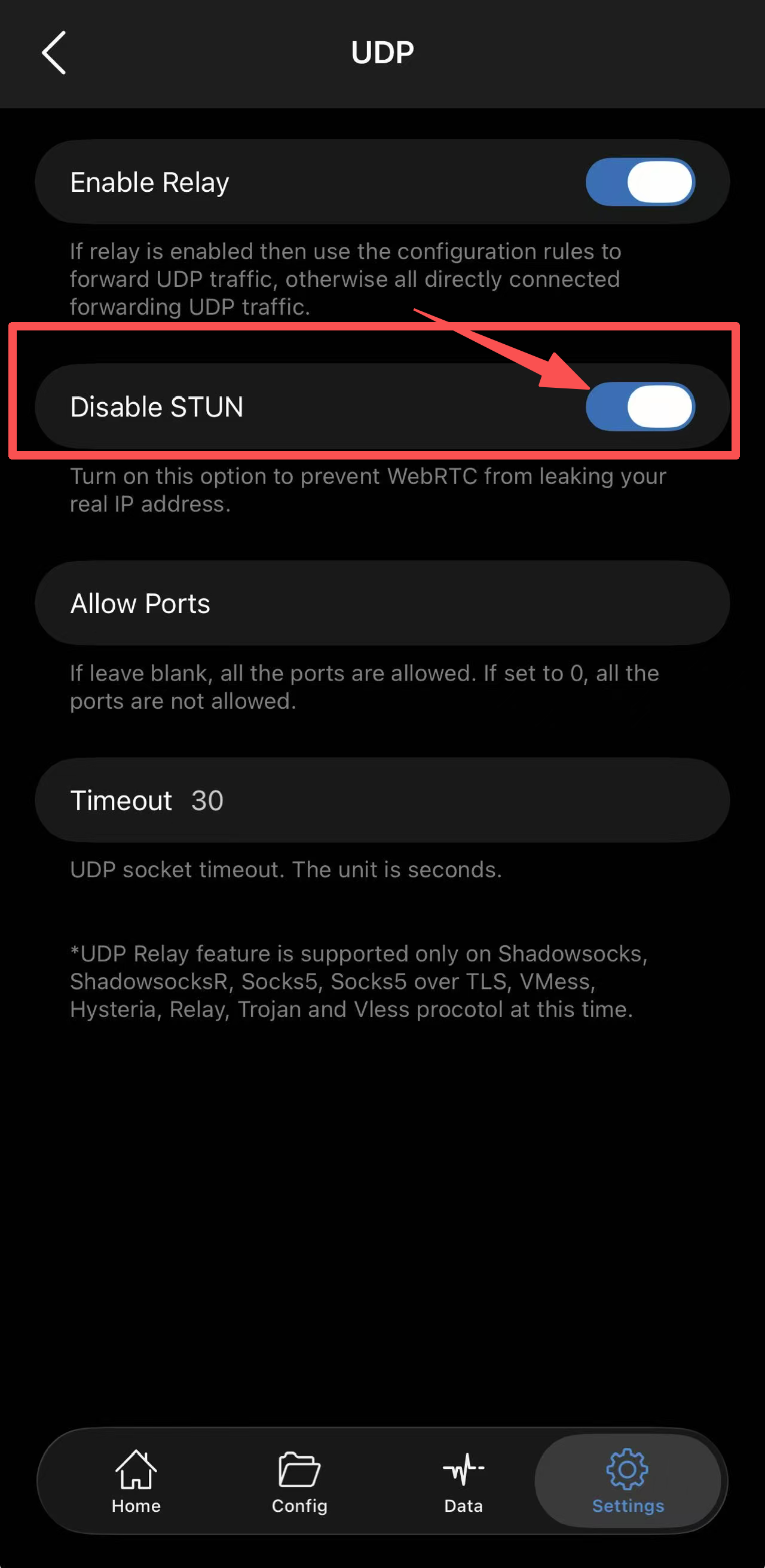
- Return to the previous menu, tap UDP to enter;
- Enable Disable STUN (Disables WebRTC).
💡 How it Works:
These settings help reduce the risk of real IP leaks while proxying via Shadowrocket, protecting your connection from risk control triggers by third-party applications.



.jpg)